Businesses are constantly working toward attaining a competitive advantage in their target markets. With high-quality software products, they can build customer trust and maintain revenue. That’s why those companies that focus on test automation at their core are expected to produce better results and get improved business outcomes. With all the numerous automation tools and test frameworks available today, businesses should opt for them regarding their needs.
Thanks to test automation with Jenkins, your teams can improve the quality, efficiency, and reliability of software products while reducing costs, time to market and simplifying collaboration. What’s more, it allows development and QA teams to provide high-quality software faster, meet customer expectations and produce great results.
😃 Keep on reading to discover why to use Jenkins tool and learn more about integrating automated testing with it!
What exactly is Jenkins software?
Jenkins is an open-source CI server written in Java. In Jenkins software testing, it acts as the trigger that runs your test framework on every commit and reports the outcome.
Jenkins also provides native support for container technologies like Docker and Kubernetes and helps teams leverage them for testing, packaging, and deployment processes. Additionally, Jenkins can be seamlessly integrated with popular build tools like Maven and Gradle.
What are Jenkins Core Concepts?
Jenkins incorporates various terminologies aligned with the principles and practices of DevOps. This helps teams implement robust and efficient continuous delivery pipelines and organize smooth test automation process. Let’s overview them below:
- Jenkins Controller (Formerly Master): acts as the central hub for the entire Jenkins infrastructure and makes sure the CI and CD pipeline functions as smoothly as possible. In addition to that, it simplifies users and administrators’ interactions with the Jenkins system by the ability to orchestrate job execution, coordinate project flow and manage resources in a user-friendly interface.
- Jenkins Agent (Formerly Slave): working in tandem with Controller, it is used to run build jobs and balance build loads. Thus, it handles build and deployment processes as well as supports the scalability and efficiency of the Jenkins pipeline.
- Jenkins Node: refers to a virtual or physical machine where the projects and pipelines are being built. If multiple nodes are used, parallel builds or tasks can be executed. This helps teams reduce the overall build time and increase the efficiency of the CI\CD processes.
- Jenkins Project (Formerly Job): refers to a specific task or job created by a Jenkins user to be performed automatically. With a set of instructions and configurations, it enables to build, test, deploy and automate a particular software project or CI\CD workflow.
- Jenkins Plugin: Installed on a Jenkins server, these community-developed modules add specific features that Jenkins automation server doesn’t have by default.
- Jenkins Pipelines: they provide a variety of plugins and shared libraries to help teams define CI\CD processes as code and customize them according to the specific requirements.
What are key features of Jenkins?
Teams that focus on tools for test automation will see greater benefits. Understanding key Jenkins features makes it clear why this tool plays a crucial role in creating CI\CD pipeline. Let’s take a closer look at them below ⬇️
- Easy Installation: it offers easy installation and is portable to all the major platforms, including Windows, Mac OS, and Unix-like operating systems.
- Straightforward to configure: with a user-friendly web interface, it provides easy configuration and makes continuous integration and continuous delivery processes as smooth as possible.
- Numerous Plugins: with hundreds of plugins to select from, teams are able to integrate them with development and testing tools to tailor the architecture and meet the requirements.
- Automated Testing: with this feature, teams can automate the process of execution of the unit tests, Jenkins integration testing, and so on. If paired with a Jenkins test management tool, teams can turn raw run logs into trackable test cases and generate detailed test reports.
- Distributed Builds: thanks to distributed builds, teams can distribute workloads across multiple machines (called nodes) to boost build and test processes.
- Security: armed with various security features, including user authentication, and authorization, it helps organizations keep their data and systems safe.
How Does Jenkins Work?
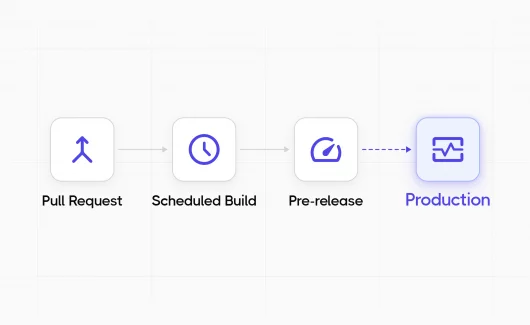
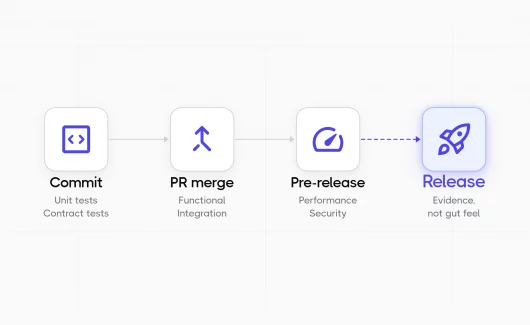
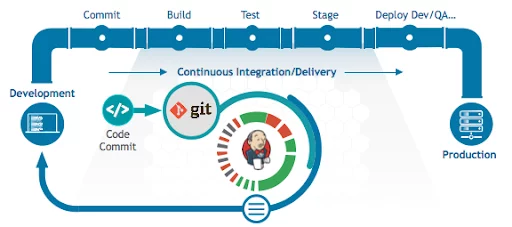
Jenkins testing fits across the full development lifecycle. The same pipeline that builds your code also runs the test suite and pushes the artifact to staging.
- With created ‘pipelines’, the Jenkins automation server starts performing the required tasks.
- Developers commit their code to a version control repo. When Jenkins detects a new commit, it automatically triggers a build process and creates an executable file.
- If the build fails, Jenkins will promptly inform developers about the encountered errors that should be addressed efficiently.
- If the build is successful and it passes all the tests, Jenkins facilitates the code movement to a “release-ready” environment – a staging or pre-production one where the code is further validated and prepared for deployment.
Jenkins Best Practices: Get the Most out of Automated Testing
These best practices keep Jenkins automated testing fast as your suite grows past a few hundred cases. They will help your team maintain the highest quality of the process and maximize the potential of the test automation tool. Let’s begin!
- Choose plugins attentively. With multiple plugins available, you may be tempting to try a lot of them. This will contribute to slowing down the development and testing processes and lessening the chance of speedy delivery.
- Avoid complex Groovy code in pipelines. Pipelines are designed to help teams build faster. That’s why complicated Groovy code makes them harder to understand, debug, and modify. By keeping pipelines as concise as possible, teams can improve code quality as well as build and deliver software products faster.
- Keep it secure. It’s critical to keep your Jenkins server secure by using robust user authentication processes. In addition to that, you should back up Jenkins Home directory to prevent losing all the configurations and logs information.
- Cleaning up old Jenkins builds. Without removing old or unwanted builds, you have fewer resources for more current and relevant ones. This will lead to inefficient Jenkins controller running.
How to use Jenkins for automation testing
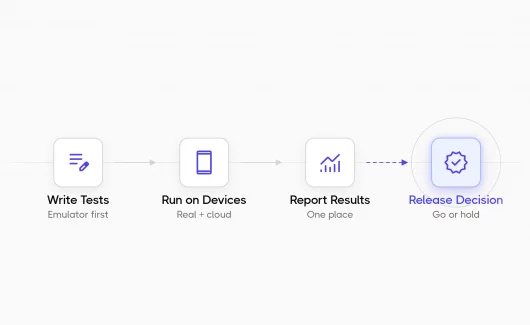
Set up Jenkins, link it to your repo, define a pipeline that executes your test runner on every commit, then send the results into a TCMS for tracking. Jenkins gives you two ways to run automated tests. Let’s overview them below:
- Freestyle job is a classic approach that works for a single project and a single test command. You can pick it for prototypes or one-off suites.
- Pipeline job is what most teams use today. Each commit triggers the pipeline, and the final stage publishes results to your test management tool.
The Pipeline approach scales better for one reason: the test config travels with the code. If a pull request changes the test command, the pipeline updates automatically. With Freestyle, someone has to click into the Jenkins UI and edit the job. For Jenkins automated testing past about ten test files, default to Pipeline. We use this approach in the integration walkthrough below.
What are the benefits of Jenkins tool?
A properly organized CI\CD tool is an immensely useful solution. It automates the testing process and fosters all interactions and communication your teams have in the development process. What’s more, it helps detect issues that require attention and immediate reaction. When you choose the Jenkins automation tool, it’s simple to reap the many benefits from this software. Below we are going to overview some of them:
- Jenkins tool speeds up collaboration and helps team members to manage their codebase, configurations and build pipelines in a centralized location.
- Jenkins offers the possibility to drive a fast development cycle and release features quickly.
- Jenkins supports a transparent development process among dev teams by reducing the time required to review a code.
- Jenkins provides task automation and boosts the process.
- Jenkins helps teams increase code coverage and guarantees a transparent process for the development teams.
What is automation testing in Jenkins?
With the use of Jenkins in automation testing, teams can automatically execute software tests as part of the continuous integration and continuous delivery pipeline. It involves integrating testing frameworks and tools into Jenkins jobs to automatically run tests, validate code changes, and provide feedback on the quality and functionality of the software being developed.
Why do multiple developers choose Jenkins?
When looking for new software for automated testing, you may be struggling to know where to begin. With that in mind, we’ve put together some reasons why developers use such old and universal solution as Jenkins. More details:
- Jenkins provides an automated pipeline workflow and each commit integrates into the pipeline directly.
- When using Jenkins, developers need less time to integrate code – after each commit assures that the program functionality is always available and operational.
- With Jenkins, developers have more options for creating and accessing additional services through the cloud.
- With Jenkins, software engineers can minimize bugs as builds and tests on every commit create a fast-paced environment.
- Thanks to the feedback system, the development team quickly addresses the issues instead of debugging numerous commits and can get advice from strong community support.
Why Jenkins test management matters: connecting Jenkins to test case management system (TCMS)
Jenkins test management software gives QA teams a single workspace where Jenkins runs, test cases, and results live together instead of scattered across logs and dashboards. Here are some key reasons:
- By integrating Jenkins with a test case management system, all the test cases, test plans, test executions, and test results can all be managed within a single platform to deliver a unified view of their testing efforts.
- Developers can directly execute test suites as part of the Jenkins pipeline and view the results in the test management system. This will help teams reduce manual efforts and perform testing activities consistently as part of the development process.
- As test results from Jenkins are automatically linked to the test suites in the test management system, teams can discover correlations between test cases and their automation execution status.
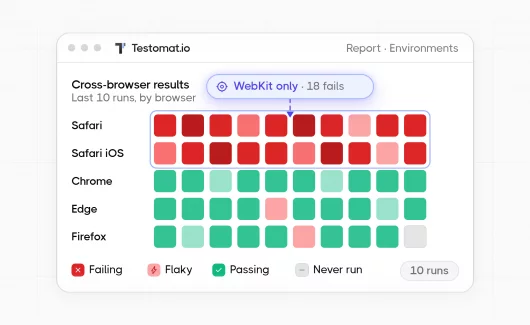
- Jenkins’ test execution results can be aggregated and visualized within the test management system to help teams gain valuable insights into the test coverage, pass/fail rates, trends, and other metrics and make data-driven decisions.
- When integrated, teams can view and share test results as well as stay updated with the latest build and code changes in Jenkins. This significantly improves collaboration and communication between all the parties involved in the process.
Integrating Testomat.io test management system with Jenkins brings a lot of advantages and leads to streamlined workflows, improved collaboration, increased automation, enhanced data accuracy, insightful analytics, and advanced reporting capabilities. If properly integrated, it will help in optimizing testing processes, boosting productivity, and achieving superior test results.
Thus, by combining the power of Testomat.io and Jenkins, organizations can significantly enhance their testing practices, deliver high-quality software, and drive overall efficiency in their software development lifecycle.
How To Integrate Jenkins With our Test Management tool
When you’re ready to integrate automated testing with Jenkins and the test management system, there are a few steps you should follow. However, first and foremost, you should make sure that you already have a Jenkins instance running.
#1: Start A Project And Create Test Cases
For Jenkins test case management to work cleanly, you need to create a project that holds your test cases and accepts results from Jenkins runs.
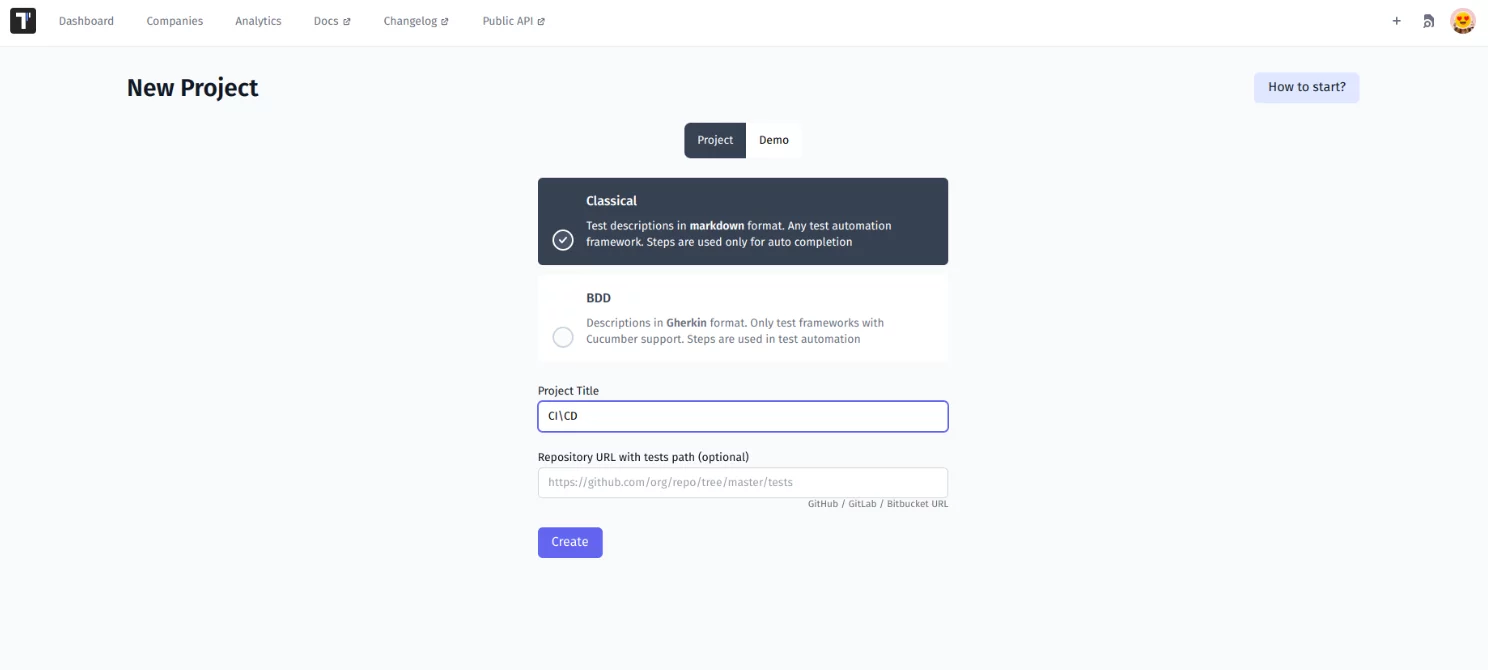
Then you should identify test cases and import them into the project you created in the test management system.
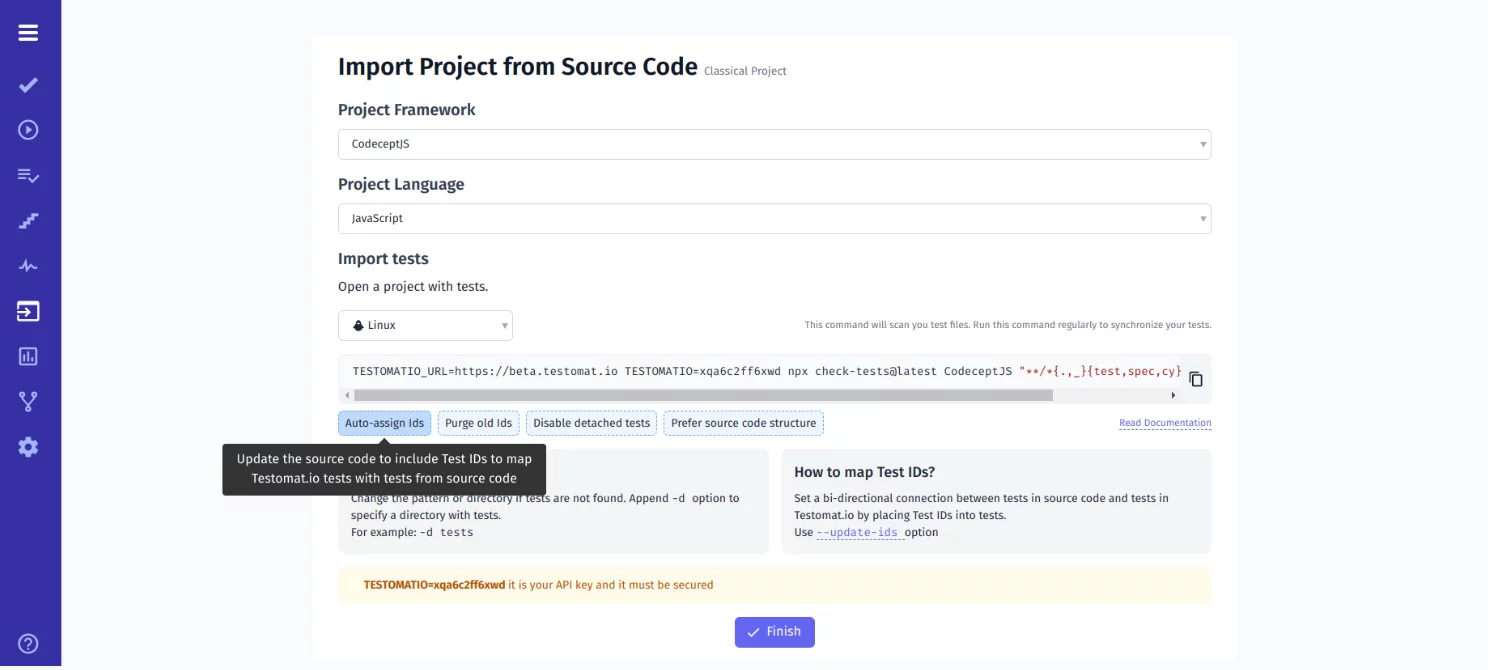
#2: Link Testomat.io IDs To Automated Tests
When exporting or importing test cases, having unique test IDs is crucial for proper synchronization and tracking. The test management tool can streamline this process by automatically generating unique IDs for each test case. However, when syncing IDs for imported tests, it’s essential to consider the frameworks used and the commands applied when updating your source code.
check-testscommand for importing tests with--update-idsfor JS-based frameworks.check-cucumbercommand with--update-idsthe command for Cucumber framework.
TESTOMATIO={apiKey} npx check-tests <framework> <pattern> --update-idsIndeed, before pushing a commit to the repository, verifying that the test IDs are written as correctly and clearly as expected is mandatory. Correct test IDs provide smooth integration with your test management system and CI server as well as enable seamless execution and reporting of test results.
#3: Configure Continuous Integration Settings
You should navigate to the Project Dashboard and locate the Continuous Integration tab (CI tab) to integrate the test project with your CI\CD pipeline. There you can choose Azure DevOps from the available list of tools, make any necessary adjustments, and save your changes.
By navigating to Project Dashboard which is usually the central hub for managing your test projects, you can find the Continuous Integration tab (CI tab). From the list of available tools for integration, you need to select Jenkins as your preferred CI\CD tool.
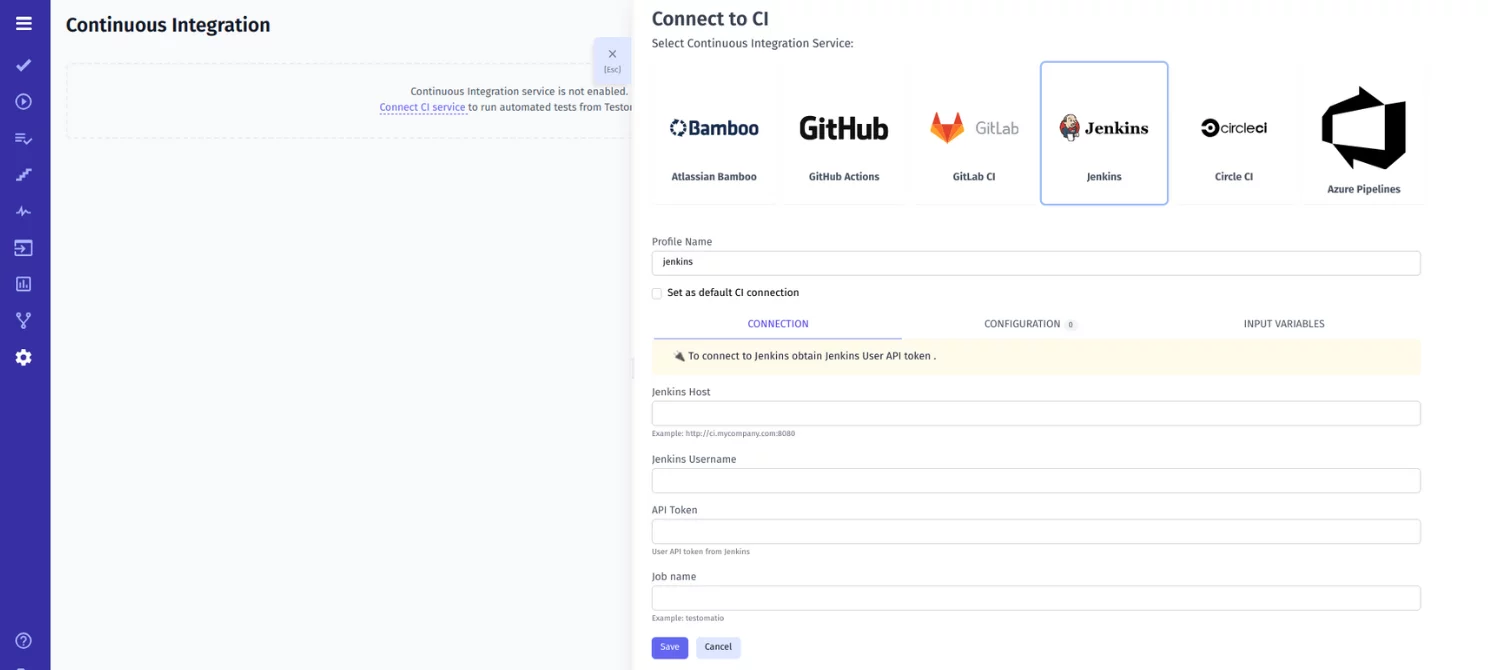
Once you have selected Jenkins, review the settings and configurations displayed, and make any necessary adjustments based on your specific requirements and preferences.
- Additionally, it’s critical to select all the checkboxes:
- Send Run ID as ‘run’ input (required for scheduled jobs)
- Send Testomatio API key as ‘Testomat.io’ input
- Send Testomatio Server URL as ‘Testomat.io_url’ input
After selecting the appropriate checkboxes, save your changes to finalize the integration between your test project and Jenkins by clicking the “Test Connection” button. A success message will be displayed if there are no errors. This message indicates that the connection has been established successfully.
#4: Create A New Job In CI To Build And Test
When integrating Jenkins with Testomat.io , it is crucial to establish a distinct workflow within the Testomat.io platform. This workflow configuration should be specific to Testomat.io and include the necessary parameters, as outlined below:
- export TESTOMATIO="${Testomat.io}"
- export TESTOMATIO_URL="${Testomat.io_url}"
- export TESTOMATIO_RUN="${run}"
Additionally, you should execute the test runner with the -grep option. This allows for proper integration and utilization of Testomat.io environment variables during the test execution.
- npx codeceptjs run-workers 2 --grep "${grep}"#5: Run Automated Tests And View Results
Once you have successfully configured the Jenkins tool, running your automated tests becomes a straightforward process. Simply follow these steps:
- Open the test you want to run within your test management system.
- Choose “Run in CI” option that is specifically designed for running tests within the CI\CD environment.
- Click the “Launch” button to initiate the test execution in the Jenkins CI\CD pipeline.
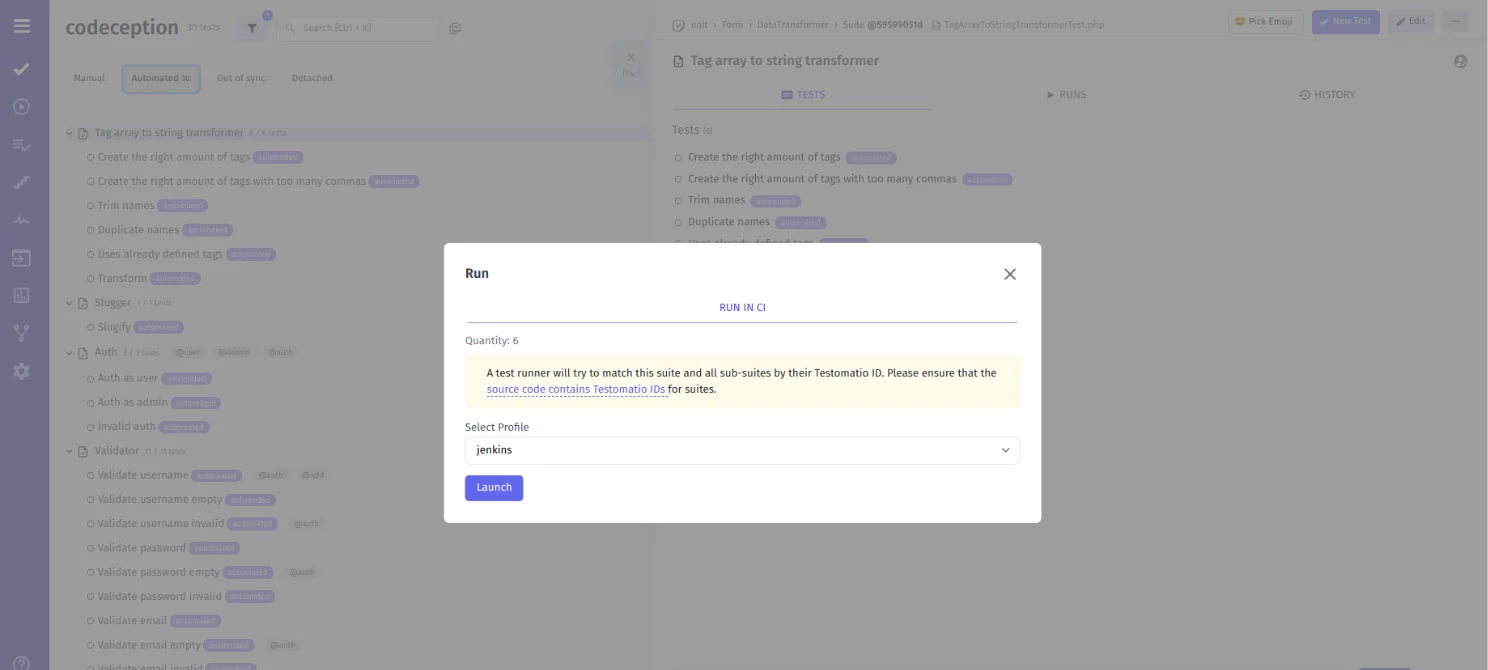
With these steps, you can kick off the automated test suite execution with just a single click. Once the tests are executed, TMS captures the results, including details about slow, failing, or flaky test cases.
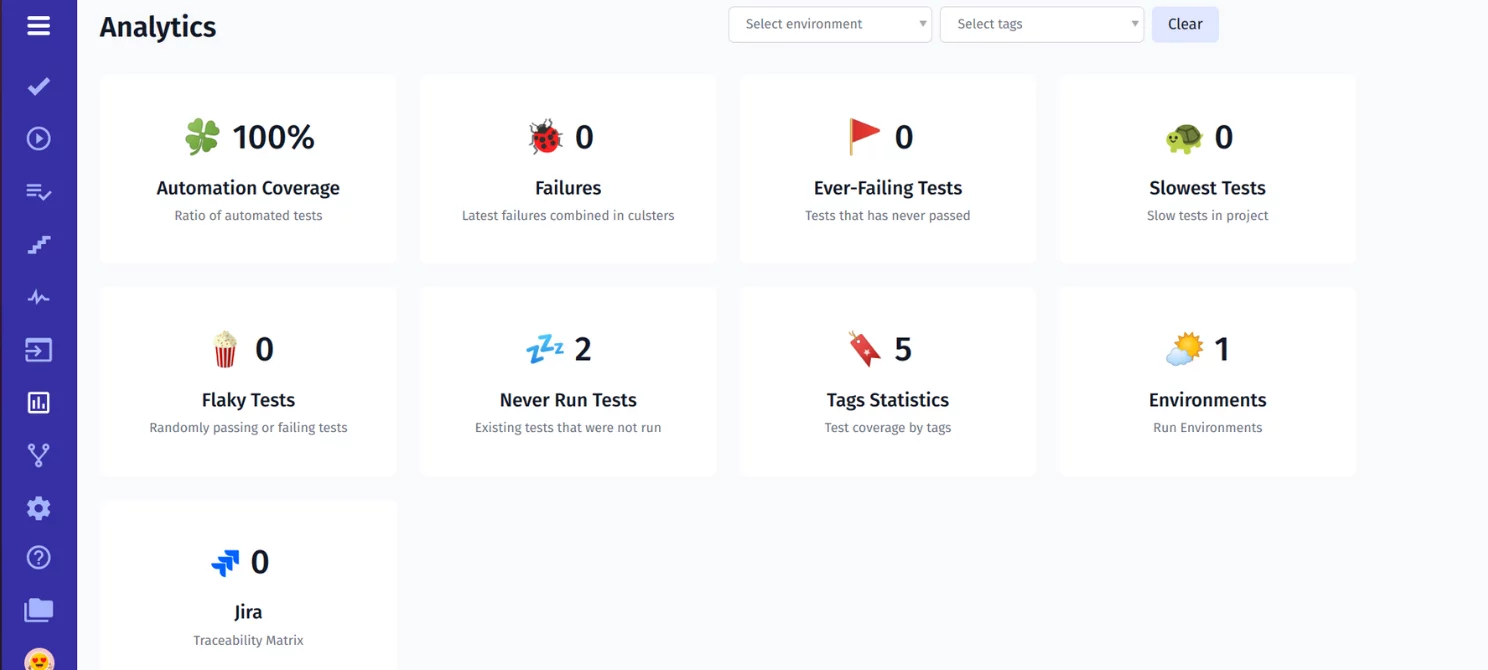
These results are typically presented in a comprehensive format and showcase metrics and statistics. This helps both technical and non-technical specialists to analyze the data.
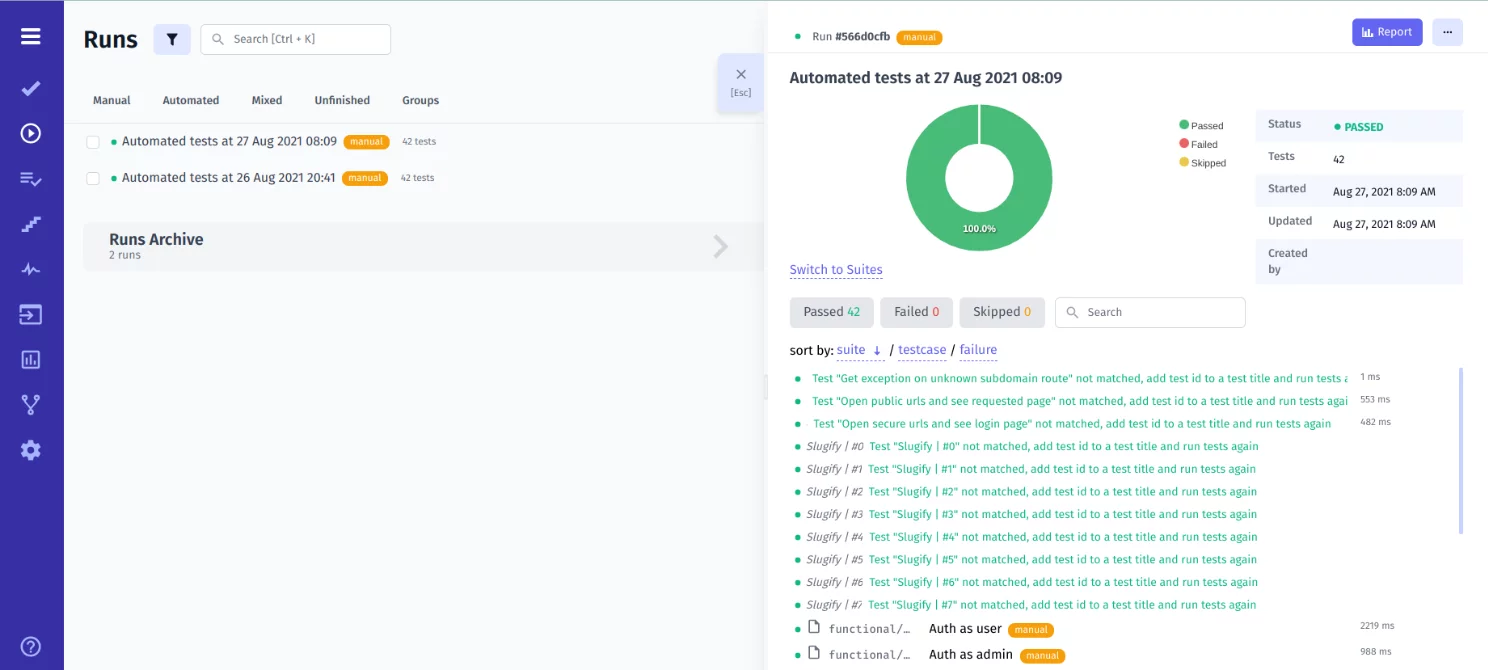
What’s more, stakeholders can gain insights into the overall test execution process and identify areas of concern. This facilitates collaboration and decision-making, empowering teams to improve the quality of their software products and dive better test results.
Bottom Line: Ready to experience the Jenkins test automation?
Delivering robust software products of high quality in a short time is imperative to stay competitive in business. However, you need first to understand the relevance of adopting test automation.
With Jenkins test automation, your teams get the chance to automate tasks that normally take a considerable amount of time to complete as well as simplify internal and external communications, making Jenkins integration testing a key strategy in enhancing. That’s why it is up to you to find ways to incorporate test automation with Jenkins and overcome your rivals. Only then can you truly call your business successful and move ahead.
👉 If you have any questions about integrating Jenkins automation testing, drop us a line at contact@testomat.io to get a free consultation.